
Import essence token to metamask
Learn how to import Essence token to MetaMask wallet. Complete guide to token import and wallet setup.
All Lessons-
Spectrum3900
Instructor
Import Essence Token to Metamask
In this lesson, we will learn import Essence Token to Metamask.
All Lessons-
Spectrum3900
Instructor
Import Essence Token ESS
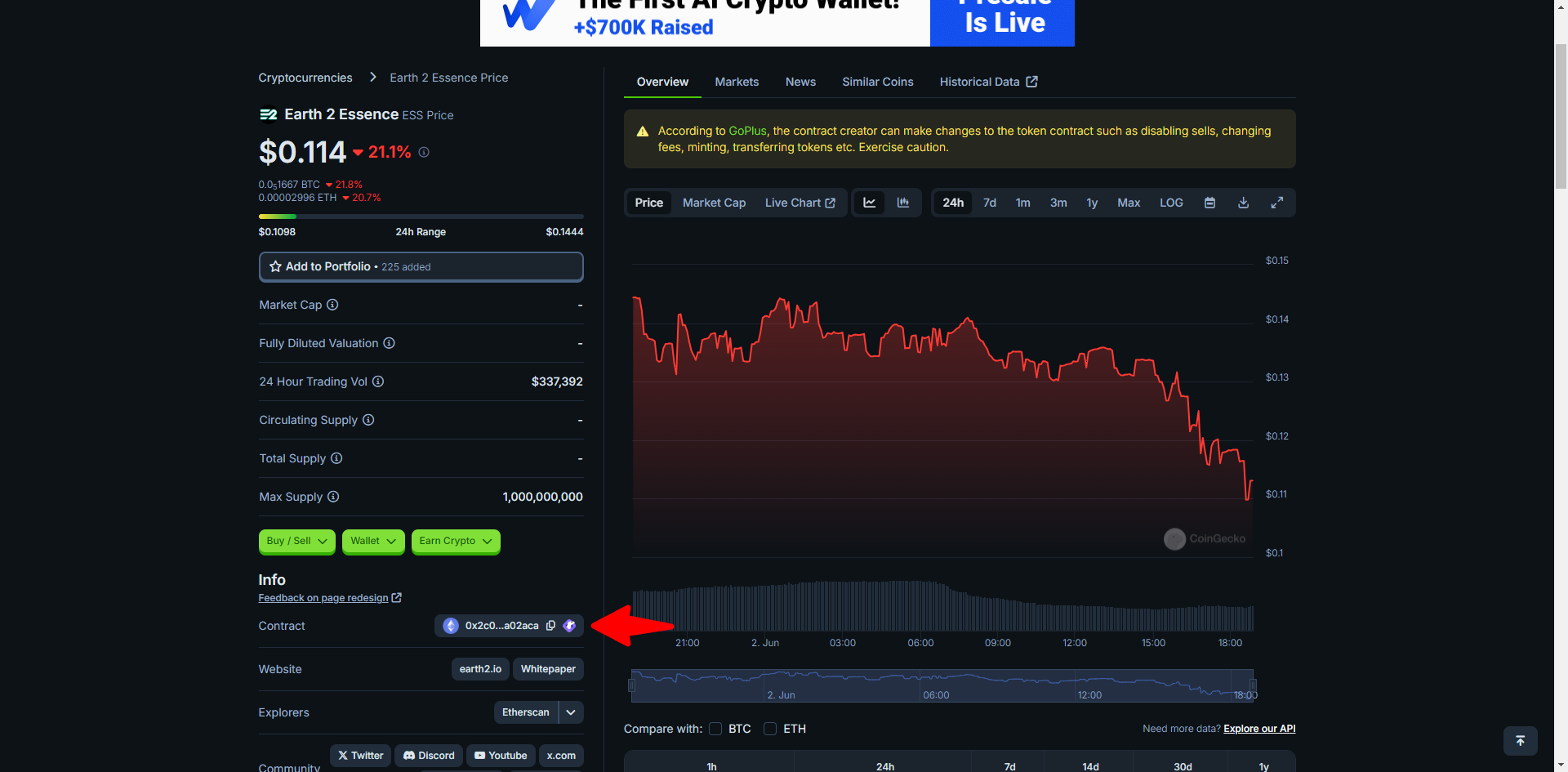
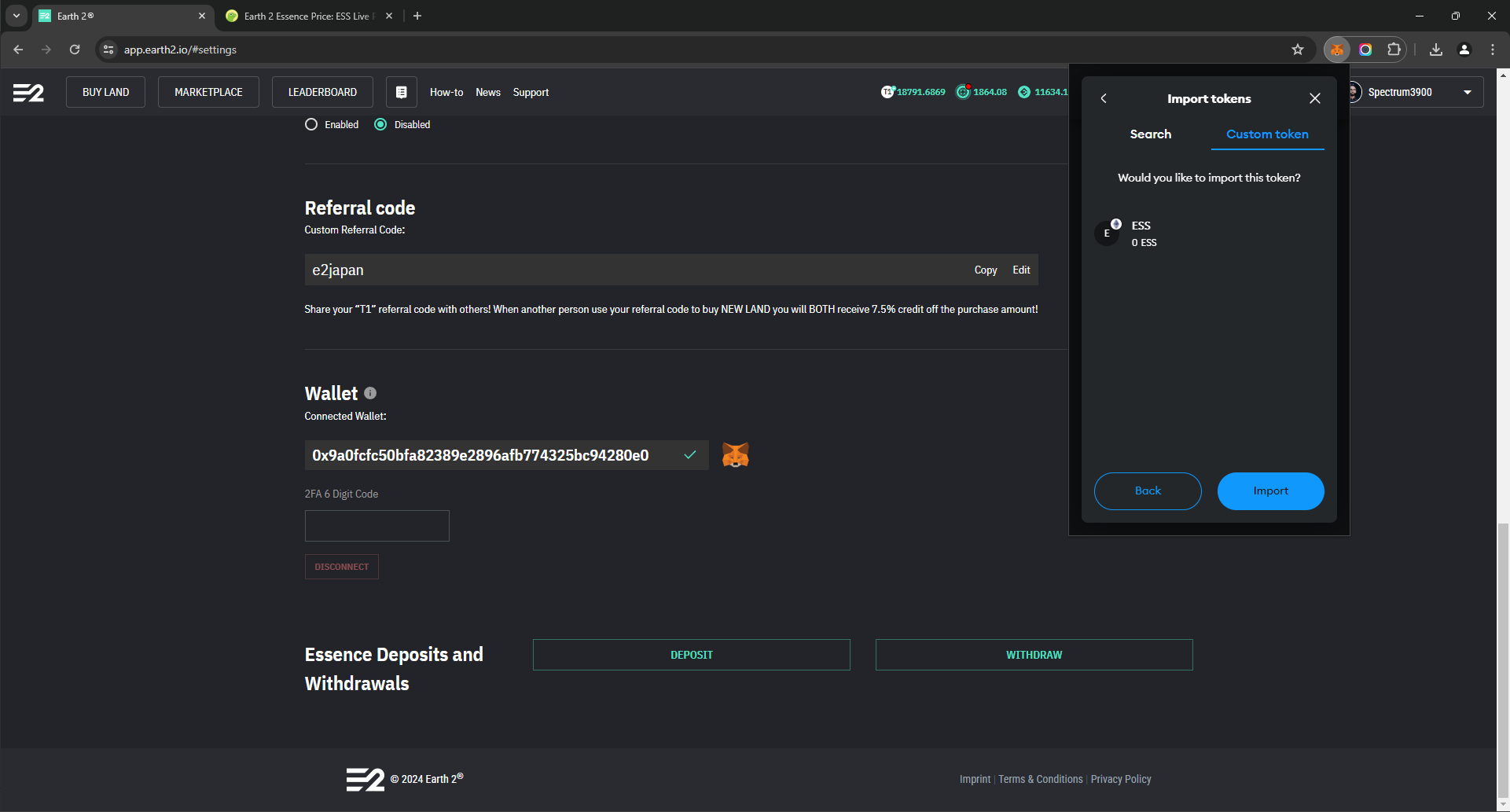
Now that we have our Metamask setup we need to import the Essence Token. We can copy the token contract from CoinGecko. https://www.coingecko.com/en/coins/earth-2-essence - which should look like that - "0x2c0687215aca7f5e2792d956e170325e92a02aca"
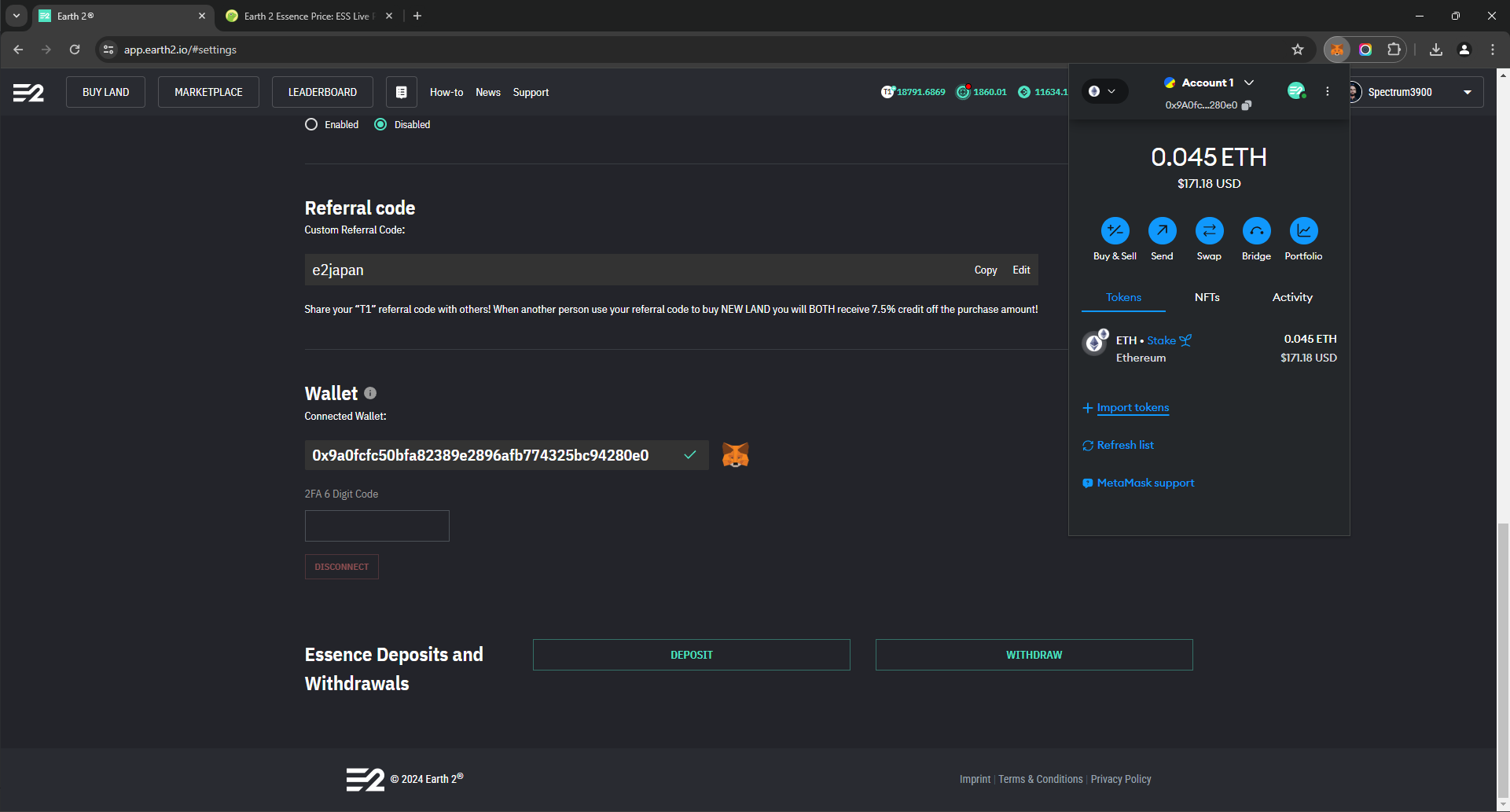
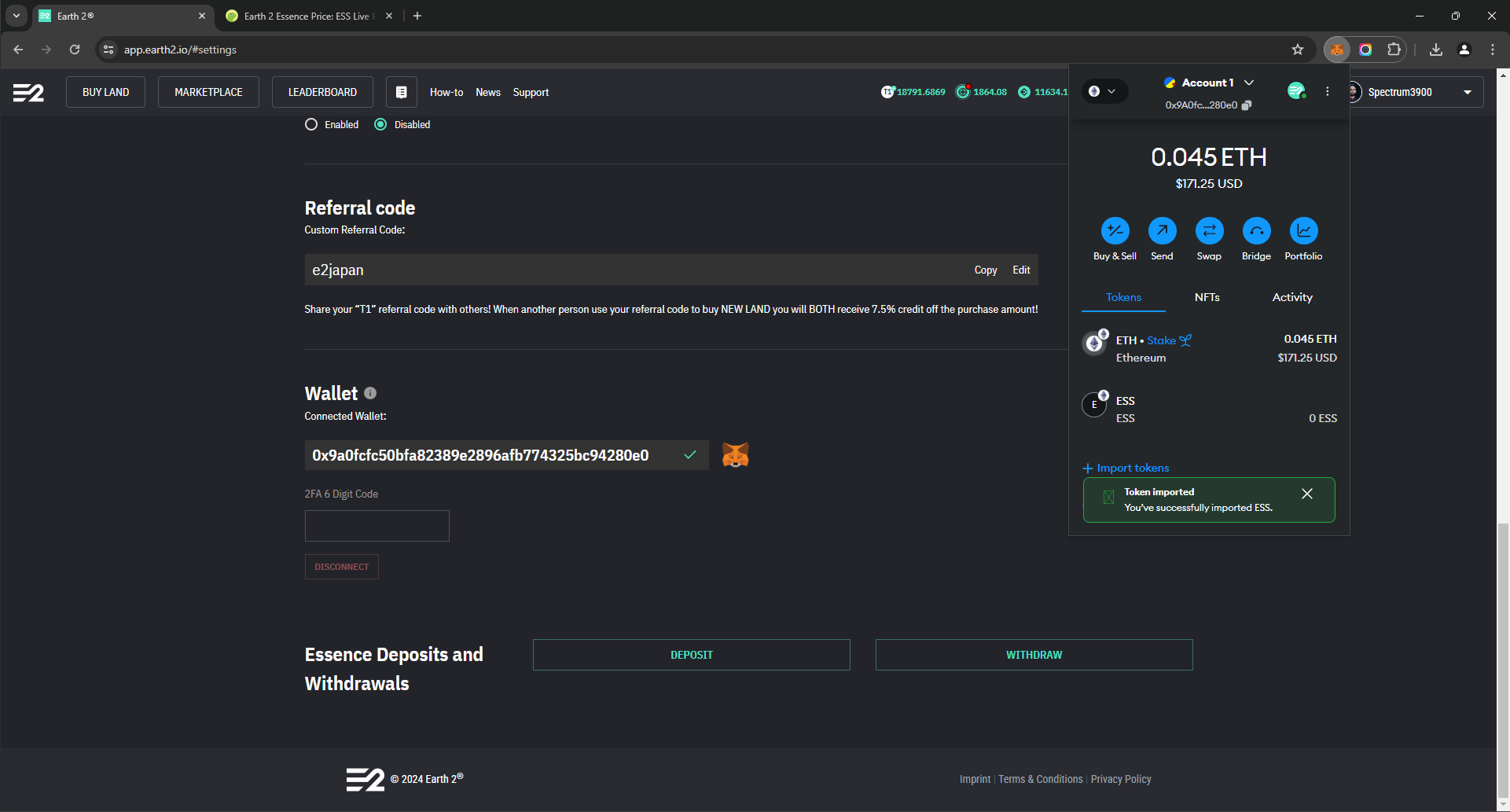
Open Metamask and look for "+ Import Tokens"
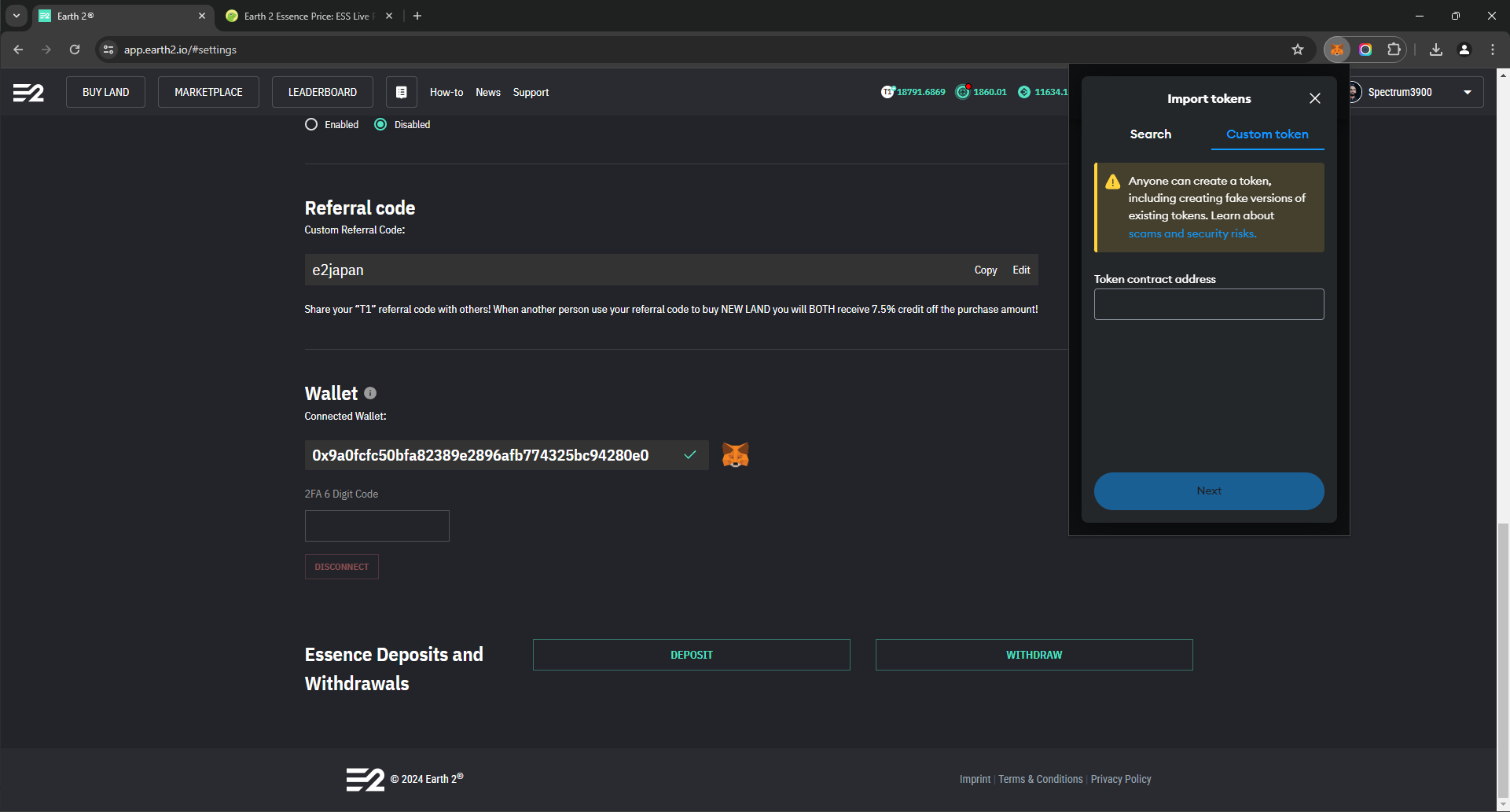
Go to "Custom Token"
Copy and paste the Essence Token code
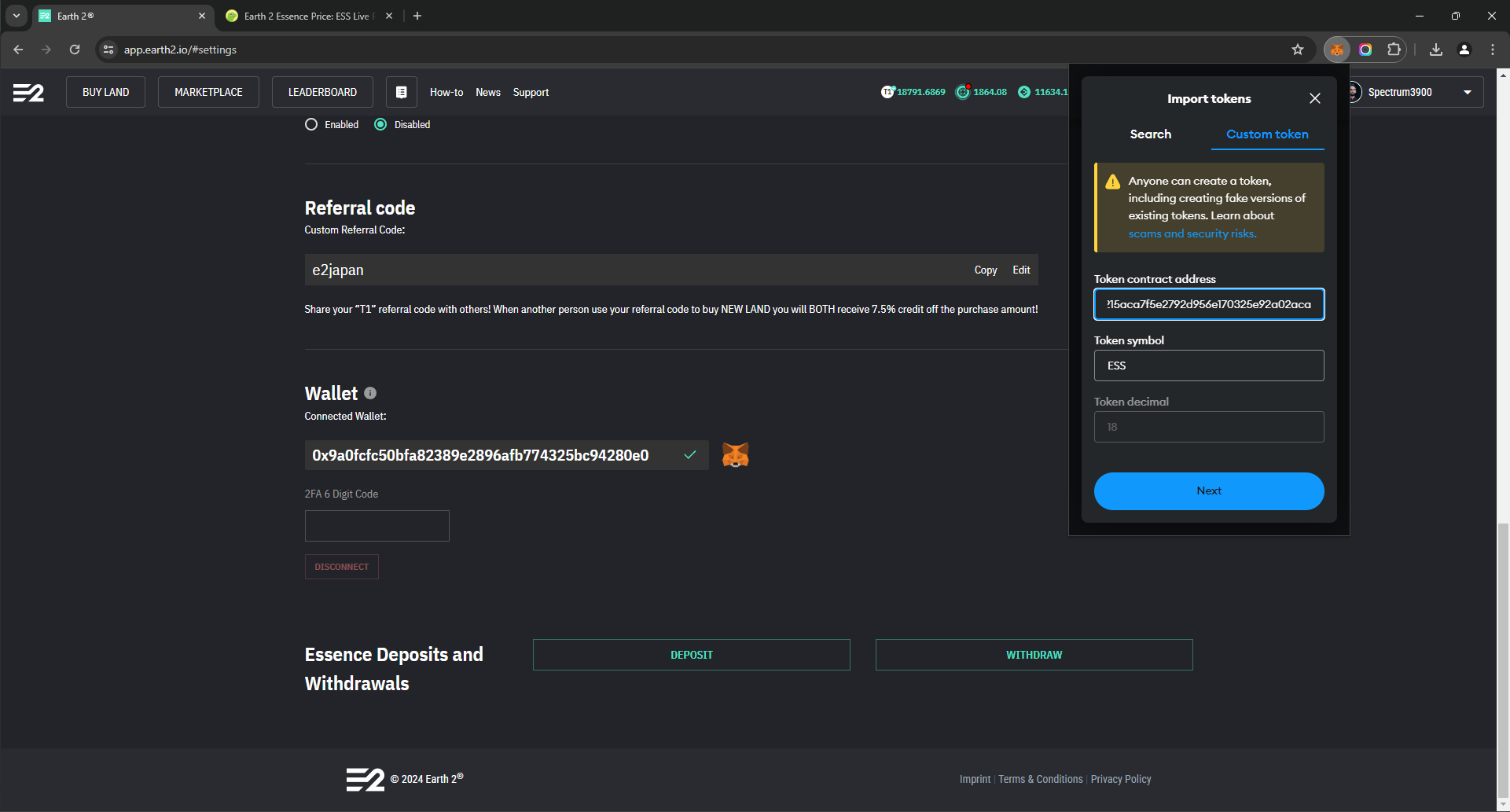
Next

Learn how to play Earth2 the Metaverse as a Massive-Open-Seamless-World - participate in the Player-to-Players land traded in the marketplace. We will teach you all the secrets of becoming an EcoSim player - taught by long term E2 players.
Earth 2® are trademark or registered trademark of Earth Version 2 Pty Ltd. All rights reserved. All other trademarks are the property of their respective owners.
Terms Privacy policy Press Contact Press Kit Earth2 Udemy Course EPL Directory
Copyright 2026 © E2 University - All rights reserved. Created by Spectrum3900 🌍2️⃣ E2 Profile